
Eboli Borgo Cioffi Remote Sensing instrumentation
Remote sensing instrumentation
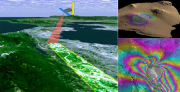
• The FLIR A40M acquires images of reflectance in the infrared high-resolution maps for ET and water status
• CIR Duncantech MS4100 is used for multispectral images in the visible and near IR ( NDVI maps )
• IGI mbH DIGICAM K is a metric digital camera 14k pixels used for stereoscopic images (land use ) .
• The microlidar EMB ER - 1/2 probe to determine the PBL height and the distribution and nature of particulate matter.
|
|
Citation proposal
(2013) . Eboli Borgo Cioffi Remote Sensing instrumentation. https://geoportal.mountaingenius.org/geonetwork/srv/api/records/2563eaf2-88a4-41b6-88db-71d52405f134 |
- Identification
- Distribution
- Quality
- Spatial rep.
- Ref. system
- Content
- Portrayal
- Metadata
- Md. constraints
- Md. maintenance
- Schema info
Identification
Data identification
Citation
- Date ( Publication )
- 2013-05-29T14:07:00
- Edition
- Presentation form
- Digital document
- Purpose
- Status
- Historical archive
Point of contact
- Maintenance and update frequency
- As needed
- Keywords ( Theme )
-
- SHARE
- Keywords ( Theme )
-
- SHARE
- Keywords ( Theme )
-
- I-AMICA
- Keywords ( Place )
-
- Eboli Borgo Cioffi, Campania, Italy
- Keywords ( Theme )
-
- agriculture, atmosphere, air, carbon, nitrogen, remote sensing
- Keywords ( Theme )
-
- SHARE
- Keywords ( Theme )
-
- I-AMICA
- Keywords ( Place )
-
- Eboli Borgo Cioffi, Campania, Italy
- Keywords ( Theme )
-
- agriculture, atmosphere, air, carbon, nitrogen, remote sensing
- Keywords ( Theme )
-
- SHARE
- Keywords ( Theme )
-
- I-AMICA
- Keywords ( Place )
-
- Eboli Borgo Cioffi, Campania, Italy
- Keywords ( Theme )
-
- agriculture, atmosphere, air, carbon, nitrogen, remote sensing
Legal constraints
- Access constraints
- Copyright
- Other constraints
- Spatial representation type
- Vector
- Metadata language
- eng
- Character set
- UTF8
- Topic category
-
- Boundaries
N
S
E
W
))
Vertical extent
- Supplemental Information
- You can customize the template to suit your needs. You can add and remove fields and fill out default information (e.g. contact details). Fields you can not change in the default view may be accessible in the more comprehensive (and more complex) advanced view. You can even use the XML editor to create custom structures, but they have to be validated by the system, so know what you do :-)
Distribution
Digital transfer options
OnLine resource
- Protocol
- WWW:LINK-1.0-http--link
- Name
- Description
OnLine resource
- Protocol
- OGC:WMS-1.1.1-http-get-map
- Name
- Description
Quality
Data quality
- Hierarchy level
- Dataset
- Statement
Ref. system
- Reference system identifier
- WGS 1984
Overviews
remote_sens_s.png
thumbnail
Provided by

Views
2563eaf2-88a4-41b6-88db-71d52405f134
Access to the portal
Read here the full details and access to the data.
Associated resources
Not available